

前言
在数据处理场景中,我们常常需要临时存储会话内的中间结果——比如复杂查询的中间计算数据、批量操作的临时缓存、会话专属的临时数据隔离等。OceanBase MySQL模式下的临时表,恰好适配这类需求:它具备会话隔离、自动清理、轻量化等特性,既能避免中间数据污染正式表,又能减少手动清理的运维成本。本文将结合全新的实际业务场景,从核心特性、实操示例、能力限制三个维度,带大家全面掌握临时表的用法,让中间数据处理更高效、更安全。
一、临时表核心特性与前提条件
1.1 核心特性
临时表作为OceanBase MySQL模式的特殊表类型,核心优势体现在“会话专属”与“轻量化”,具体包含三点:
- 会话隔离:仅创建临时表的当前连接可见,其他会话无法访问,数据安全性更高;
- 自动生命周期:会话断开(主动退出、网络中断等)后,临时表自动删除,无需手动清理;
- 功能兼容:支持常见DML操作(INSERT/SELECT/UPDATE/DELETE)和多数DDL操作,但部分特殊功能(如外键、分区)存在限制。
1.2 前提条件
使用前需确保已连接OceanBase数据库,若未连接,可通过以下命令快速接入(本地测试环境):
[root@iZbp17o43l7j4t1h9w39g4Z ~]# obclient -h127.0.0.1 -P2881 -uroot@mysql_tenant -A -Dtest
Welcome to the OceanBase.  Commands end with ; or \g.
Your OceanBase connection id is 3221550965
Server version: OceanBase_CE 4.3.5.4 (r104000042025090916-5cf5b925a25bf888aebaa288e251b85b1924e98a) (Built Sep  9 2025 17:07:42)

Copyright (c) 2000, 2018, OceanBase and/or its affiliates. All rights reserved.

Type 'help;' or '\h' for help. Type '\c' to clear the current input statement.

obclient [test]>
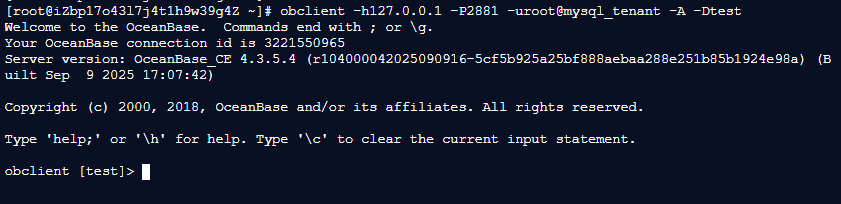
说明:root用户未设置密码仅用于体验,生产环境需严格配置用户权限与密码,避免安全风险。
二、临时表常见用法示例
2.1 基本使用:创建、操作与自动清理
临时表的核心场景是“会话内临时存储”,以下以“用户临时信息缓存”为例,演示完整流程:
2.1.1 创建数据库与临时表
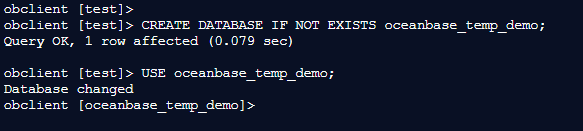
-- 创建专属数据库(不存在则创建)
obclient [test]> CREATE DATABASE IF NOT EXISTS oceanbase_temp_demo;
Query OK, 1 row affected (0.079 sec)

obclient [test]> USE oceanbase_temp_demo;
Database changed
obclient [oceanbase_temp_demo]>
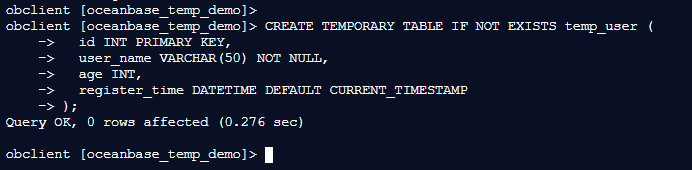
-- 创建临时表(IF NOT EXISTS 避免重复创建报错)
obclient [oceanbase_temp_demo]> CREATE TEMPORARY TABLE IF NOT EXISTS temp_user (
    ->   id INT PRIMARY KEY,
    ->   user_name VARCHAR(50) NOT NULL,
    ->   age INT,
    ->   register_time DATETIME DEFAULT CURRENT_TIMESTAMP
    -> );
Query OK, 0 rows affected (0.276 sec)

obclient [oceanbase_temp_demo]>
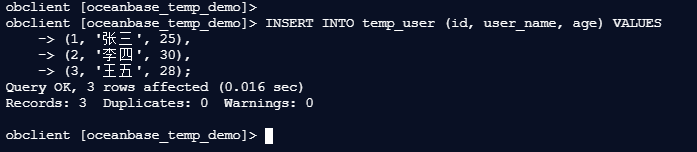
2.1.2 插入与查询数据
-- 插入临时数据(模拟会话内缓存用户信息)
obclient [oceanbase_temp_demo]> INSERT INTO temp_user (id, user_name, age) VALUES
    -> (1, '张三', 25),
    -> (2, '李四', 30),
    -> (3, '王五', 28);
Query OK, 3 rows affected (0.016 sec)
Records: 3  Duplicates: 0  Warnings: 0

obclient [oceanbase_temp_demo]>
-- 查询临时表数据
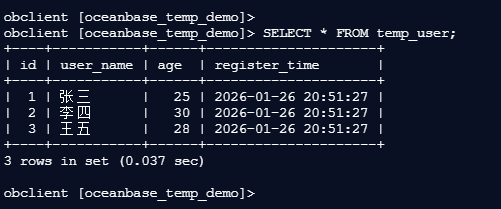
obclient [oceanbase_temp_demo]> SELECT * FROM temp_user;
+----+-----------+------+---------------------+
| id | user_name | age  | register_time       |
+----+-----------+------+---------------------+
|  1 | 张三      |   25 | 2026-01-26 20:51:27 |
|  2 | 李四      |   30 | 2026-01-26 20:51:27 |
|  3 | 王五      |   28 | 2026-01-26 20:51:27 |
+----+-----------+------+---------------------+
3 rows in set (0.037 sec)

obclient [oceanbase_temp_demo]>

**查询结果**:
| id  | user_name | age | register_time       |
|-----|-----------|-----|--------------------|
| 1   | 张三      | 25  | 2024-05-20 10:30:00 |
| 2   | 李四      | 30  | 2024-05-20 10:30:00 |
| 3   | 王五      | 28  | 2024-05-20 10:30:00 |
2.1.3 会话结束后自动删除
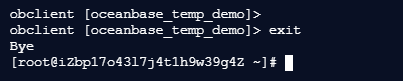
断开当前会话并重新连接,验证临时表是否存在:
-- 断开会话
obclient [oceanbase_temp_demo]> exit
Bye
[root@iZbp17o43l7j4t1h9w39g4Z ~]#
```language
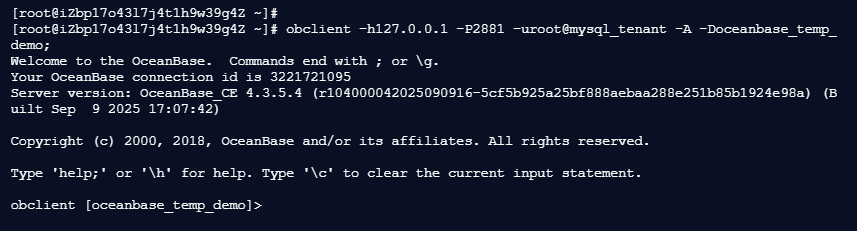
-- 重新连接数据库
[root@iZbp17o43l7j4t1h9w39g4Z ~]# obclient -h127.0.0.1 -P2881 -uroot@mysql_tenant -A -Doceanbase_temp_demo;
Welcome to the OceanBase. Commands end with ; or \g.
Your OceanBase connection id is 3221721095
Server version: OceanBase_CE 4.3.5.4 (r104000042025090916-5cf5b925a25bf888aebaa288e251b85b1924e98a) (Built Sep 9 2025 17:07:42)
Copyright (c) 2000, 2018, OceanBase and/or its affiliates. All rights reserved.
Type 'help;' or '\h' for help. Type '\c' to clear the current input statement.
obclient [oceanbase_temp_demo]>
-- 查询原临时表
obclient [oceanbase_temp_demo]> SELECT * FROM temp_user;
ERROR 1146 (42S02): Table 'oceanbase_temp_demo.temp_user' doesn't exist
obclient [oceanbase_temp_demo]>
执行结果:
ERROR 1146 (42S02): Table 'oceanbase_temp_demo.temp_user' doesn't exist

可见,会话断开后临时表已自动清理,无需手动执行DROP操作。
2.2 索引支持:哪些索引能在临时表使用?
临时表支持多数常规索引,但部分特殊索引类型受限。以下以“商品临时表”为例,演示支持与不支持的索引场景:
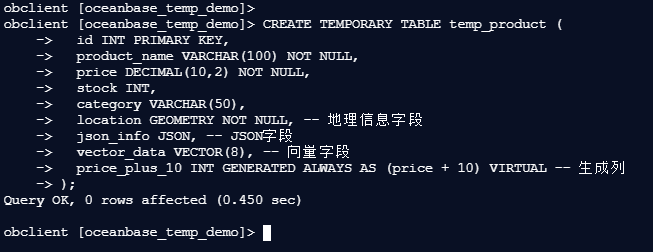
2.2.1 创建临时表并插入数据
-- 创建商品临时表
obclient [oceanbase_temp_demo]> CREATE TEMPORARY TABLE temp_product (
    ->   id INT PRIMARY KEY,
    ->   product_name VARCHAR(100) NOT NULL,
    ->   price DECIMAL(10,2) NOT NULL,
    ->   stock INT,
    ->   category VARCHAR(50),
    ->   location GEOMETRY NOT NULL, -- 地理信息字段
    ->   json_info JSON, -- JSON字段
    ->   vector_data VECTOR(8), -- 向量字段
    ->   price_plus_10 INT GENERATED ALWAYS AS (price + 10) VIRTUAL -- 生成列
    -> );
Query OK, 0 rows affected (0.450 sec)

obclient [oceanbase_temp_demo]>
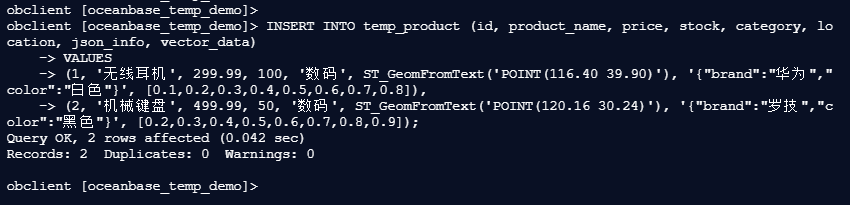
– 插入测试数据
obclient [oceanbase_temp_demo]> INSERT INTO temp_product (id, product_name, price, stock, category, location, json_info, vector_data)
    -> VALUES
    -> (1, '无线耳机', 299.99, 100, '数码', ST_GeomFromText('POINT(116.40 39.90)'), '{"brand":"华为","color":"白色"}', [0.1,0.2,0.3,0.4,0.5,0.6,0.7,0.8]),
    -> (2, '机械键盘', 499.99, 50, '数码', ST_GeomFromText('POINT(120.16 30.24)'), '{"brand":"罗技","color":"黑色"}', [0.2,0.3,0.4,0.5,0.6,0.7,0.8,0.9]);
Query OK, 2 rows affected (0.042 sec)
Records: 2  Duplicates: 0  Warnings: 0

obclient [oceanbase_temp_demo]>
2.2.2 支持的索引类型(可正常执行)
– 1. 普通索引(按商品分类查询)
obclient [oceanbase_temp_demo]> CREATE INDEX idx_category ON temp_product(category);
Query OK, 0 rows affected (1.166 sec)

obclient [oceanbase_temp_demo]>

– 2. 唯一索引(商品名称唯一)
obclient [oceanbase_temp_demo]> CREATE UNIQUE INDEX idx_product_name ON temp_product(product_name);
Query OK, 0 rows affected (0.674 sec)

obclient [oceanbase_temp_demo]>

– 3. 生成列索引(按价格+10后的字段查询)
obclient [oceanbase_temp_demo]> CREATE INDEX idx_price_plus ON temp_product(price_plus_10);
Query OK, 0 rows affected (1.235 sec)

obclient [oceanbase_temp_demo]>

– 4. 函数索引(查询库存大于50的商品)
obclient [oceanbase_temp_demo]> CREATE INDEX idx_stock_func ON temp_product((stock > 50));
Query OK, 0 rows affected (0.571 sec)

obclient [oceanbase_temp_demo]>

– 5. 全局索引(跨分区查询,依赖OceanBase版本支持)
obclient [oceanbase_temp_demo]> CREATE INDEX idx_global_price ON temp_product(price) GLOBAL;
Query OK, 0 rows affected (0.556 sec)

obclient [oceanbase_temp_demo]>

– 6. 空间索引(按地理位置查询)
obclient [oceanbase_temp_demo]> CREATE SPATIAL INDEX idx_location ON temp_product(location);
Query OK, 0 rows affected (0.661 sec)

obclient [oceanbase_temp_demo]>

2.2.3 不支持的索引类型(执行报错)
以下索引类型临时表不支持,执行后会抛出错误:
– 1. 全文索引(FULLTEXT)
obclient [oceanbase_temp_demo]> CREATE FULLTEXT INDEX idx_product_ft ON temp_product(product_name);
ERROR 1235 (0A000): fulltext index on mysql temporary table is not supported
obclient [oceanbase_temp_demo]>

– 2. JSON多值索引-- CREATE INDEX idx_json_multi ON temp_product((CAST(json_info->’$.color’ AS UNSIGNED ARRAY)));
obclient [oceanbase_temp_demo]> CREATE INDEX idx_json_multi ON temp_product((CAST(json_info->'$.color' AS UNSIGNED ARRAY)));
ERROR 1235 (0A000): build multivalue index afterward not supported
obclient [oceanbase_temp_demo]>

– 3. 向量索引-- CREATE VECTOR INDEX idx_vector ON temp_product(vector_data) WITH (distance=l2, type=hnsw, lib=vsag);
报错示例(以全文索引为例):
ERROR 1064 (42000): You have an error in your SQL syntax; check the manual that corresponds to your OceanBase version for the right syntax to use near 'FULLTEXT INDEX idx_product_ft ON temp_product(product_name)' at line 1
2.3 同名表优先级:临时表与普通表共存时如何访问?
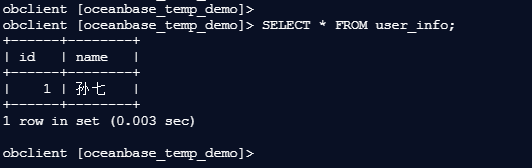
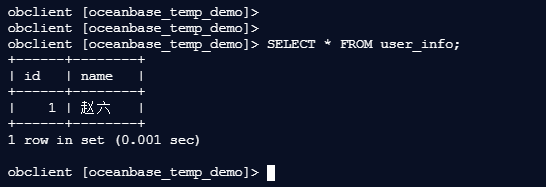
当数据库中存在“同名普通表”和“临时表”时,当前会话会优先访问临时表,普通表需通过新会话访问。示例如下:
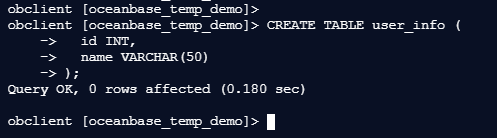
2.3.1 步骤1:创建普通表并插入数据
– 创建普通表user_info
obclient [oceanbase_temp_demo]> CREATE TABLE user_info (
    ->   id INT,
    ->   name VARCHAR(50)
    -> );
Query OK, 0 rows affected (0.180 sec)

obclient [oceanbase_temp_demo]>
– 插入普通表数据
obclient [oceanbase_temp_demo]> INSERT INTO user_info VALUES (1, '赵六');
Query OK, 1 row affected (0.032 sec)

obclient [oceanbase_temp_demo]>

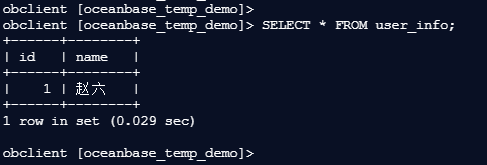
– 查询普通表(当前无临时表,返回普通表数据)
obclient [oceanbase_temp_demo]> SELECT * FROM user_info;
+------+--------+
| id   | name   |
+------+--------+
|    1 | 赵六   |
+------+--------+
1 row in set (0.029 sec)

obclient [oceanbase_temp_demo]>


**查询结果**:
| id  | name |
|-----|------|
| 1   | 赵六 |
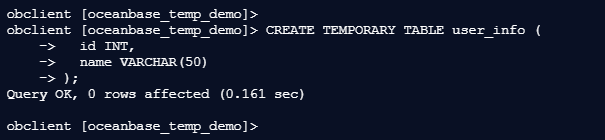
2.3.2 步骤2:创建同名临时表并插入数据
– 创建与普通表同名的临时表
obclient [oceanbase_temp_demo]> CREATE TEMPORARY TABLE user_info (
    ->   id INT,
    ->   name VARCHAR(50)
    -> );
Query OK, 0 rows affected (0.161 sec)

obclient [oceanbase_temp_demo]>
– 插入临时表数据
obclient [oceanbase_temp_demo]> INSERT INTO user_info VALUES (1, '孙七');
Query OK, 1 row affected (0.034 sec)

obclient [oceanbase_temp_demo]>

– 优先访问临时表(返回临时表数据)obclient [oceanbase_temp_demo]> SELECT * FROM user_info;±-----±-------+| id | name |±-----±-------+| 1 | 孙七 |±-----±-------+1 row in set (0.003 sec)
obclient [oceanbase_temp_demo]> 查询结果:
| id | name |
|---|---|
| 1 | 孙七 |
2.3.3 步骤3:新会话访问普通表
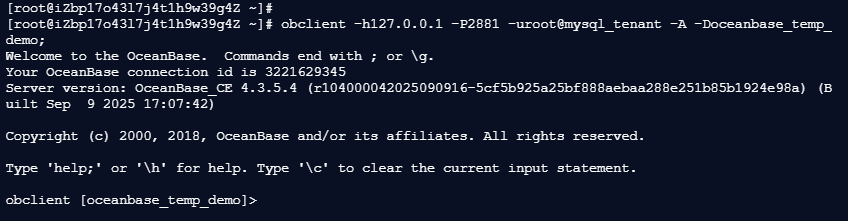
若需访问普通表,需开启新会话(无需创建临时表):
-- 新会话连接
```language
[root@iZbp17o43l7j4t1h9w39g4Z ~]# obclient -h127.0.0.1 -P2881 -uroot@mysql_tenant -A -Doceanbase_temp_demo;
Welcome to the OceanBase.  Commands end with ; or \g.
Your OceanBase connection id is 3221629345
Server version: OceanBase_CE 4.3.5.4 (r104000042025090916-5cf5b925a25bf888aebaa288e251b85b1924e98a) (Built Sep  9 2025 17:07:42)

Copyright (c) 2000, 2018, OceanBase and/or its affiliates. All rights reserved.

Type 'help;' or '\h' for help. Type '\c' to clear the current input statement.

obclient [oceanbase_temp_demo]>
-- 访问普通表(无临时表,返回普通表数据)
obclient [oceanbase_temp_demo]> SELECT * FROM user_info;
+------+--------+
| id   | name   |
+------+--------+
|    1 | 赵六   |
+------+--------+
1 row in set (0.001 sec)

obclient [oceanbase_temp_demo]>

**查询结果**:
| id  | name |
|-----|------|
| 1   | 赵六 |
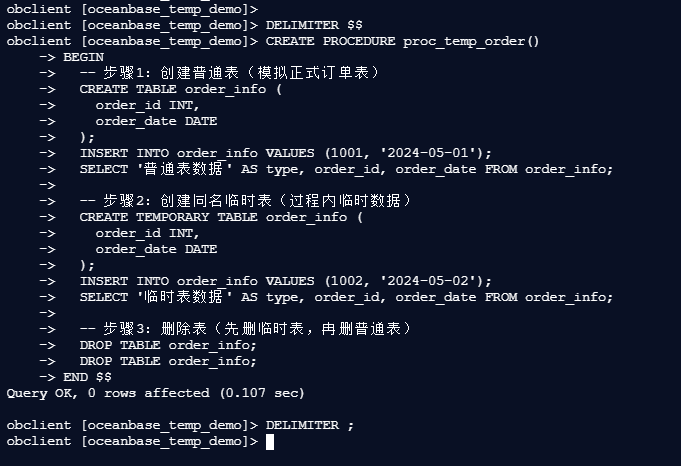
2.4 存储过程中的临时表:会话内临时数据隔离
临时表可在存储过程中使用,用于隔离过程内的临时计算数据,避免与外部表冲突。示例如下:-- 定义存储过程:处理订单临时数据
obclient [oceanbase_temp_demo]> DELIMITER $
obclient [oceanbase_temp_demo]> CREATE PROCEDURE proc_temp_order()
    -> BEGIN
    ->   -- 步骤1:创建普通表(模拟正式订单表)
    ->   CREATE TABLE order_info (
    ->     order_id INT,
    ->     order_date DATE
    ->   );
    ->   INSERT INTO order_info VALUES (1001, '2024-05-01');
    ->   SELECT '普通表数据' AS type, order_id, order_date FROM order_info;
    ->
    ->   -- 步骤2:创建同名临时表(过程内临时数据)
    ->   CREATE TEMPORARY TABLE order_info (
    ->     order_id INT,
    ->     order_date DATE
    ->   );
    ->   INSERT INTO order_info VALUES (1002, '2024-05-02');
    ->   SELECT '临时表数据' AS type, order_id, order_date FROM order_info;
    ->
    ->   -- 步骤3:删除表(先删临时表,再删普通表)
    ->   DROP TABLE order_info;
    ->   DROP TABLE order_info;
    -> END $
Query OK, 0 rows affected (0.107 sec)

obclient [oceanbase_temp_demo]> DELIMITER ;
obclient [oceanbase_temp_demo]>
– 调用存储过程
obclient [oceanbase_temp_demo]>
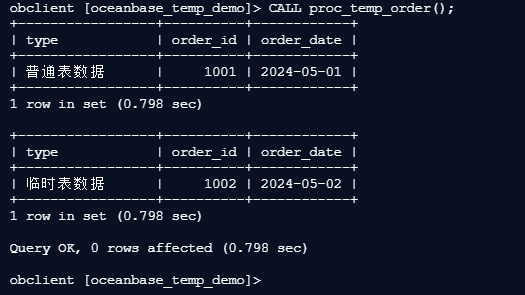
obclient [oceanbase_temp_demo]> CALL proc_temp_order();
+-----------------+----------+------------+
| type            | order_id | order_date |
+-----------------+----------+------------+
| 普通表数据      |     1001 | 2024-05-01 |
+-----------------+----------+------------+
1 row in set (0.798 sec)

+-----------------+----------+------------+
| type            | order_id | order_date |
+-----------------+----------+------------+
| 临时表数据      |     1002 | 2024-05-02 |
+-----------------+----------+------------+
1 row in set (0.798 sec)

Query OK, 0 rows affected (0.798 sec)

obclient [oceanbase_temp_demo]>

**执行结果**:
| type       | order_id | order_date |
|------------|----------|------------|
| 普通表数据 | 1001     | 2024-05-01 |

| type       | order_id | order_date |
|------------|----------|------------|
| 临时表数据 | 1002     | 2024-05-02 |
2.5 ALTER TABLE操作:临时表支持哪些结构修改?
临时表支持多数常规DDL修改(如添加字段、修改类型、添加索引等),以下以“员工临时表”为例演示:
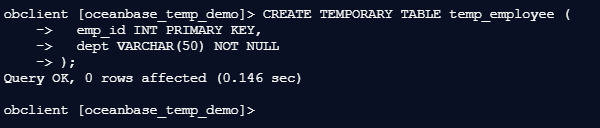
2.5.1 步骤1:创建基础临时表
– 创建临时表
obclient [oceanbase_temp_demo]> CREATE TEMPORARY TABLE temp_employee (
    ->   emp_id INT PRIMARY KEY,
    ->   dept VARCHAR(50) NOT NULL
    -> );
Query OK, 0 rows affected (0.146 sec)

obclient [oceanbase_temp_demo]>
– 2. 插入初始数据
obclient [oceanbase_temp_demo]> INSERT INTO temp_employee VALUES (1, '技术部');
Query OK, 1 row affected (0.050 sec)

obclient [oceanbase_temp_demo]>

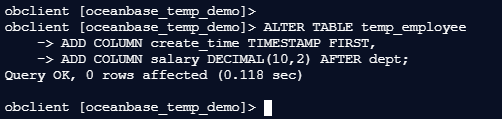
– 3. 添加字段(首列添加创建时间,col2后添加薪资)
obclient [oceanbase_temp_demo]> ALTER TABLE temp_employee
    -> ADD COLUMN create_time TIMESTAMP FIRST,
    -> ADD COLUMN salary DECIMAL(10,2) AFTER dept;
Query OK, 0 rows affected (0.118 sec)

obclient [oceanbase_temp_demo]>
– 4. 添加唯一索引(部门+员工ID唯一)
obclient [oceanbase_temp_demo]> ALTER TABLE temp_employee ADD UNIQUE INDEX idx_dept_emp (dept, emp_id);
Query OK, 0 rows affected (1.094 sec)

obclient [oceanbase_temp_demo]>

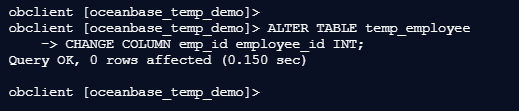
– 6. 【核心修复】重名字段:去掉PRIMARY KEY,仅保留字段类型-- 无需重复声明主键,原主键属性会自动继承
obclient [oceanbase_temp_demo]> ALTER TABLE temp_employee
    -> CHANGE COLUMN emp_id employee_id INT;
Query OK, 0 rows affected (0.150 sec)

obclient [oceanbase_temp_demo]>
– 7. 设置自增属性(重命名后再设置,避免冲突)
obclient [oceanbase_temp_demo]> ALTER TABLE temp_employee MODIFY employee_id INT AUTO_INCREMENT;
Query OK, 0 rows affected (0.384 sec)

obclient [oceanbase_temp_demo]>

– 8. 添加表注释ALTER TABLE temp_employee COMMENT = ‘员工临时信息表’;
obclient [oceanbase_temp_demo]> ALTER TABLE temp_employee COMMENT = '员工临时信息表';
Query OK, 0 rows affected (0.170 sec)

obclient [oceanbase_temp_demo]>

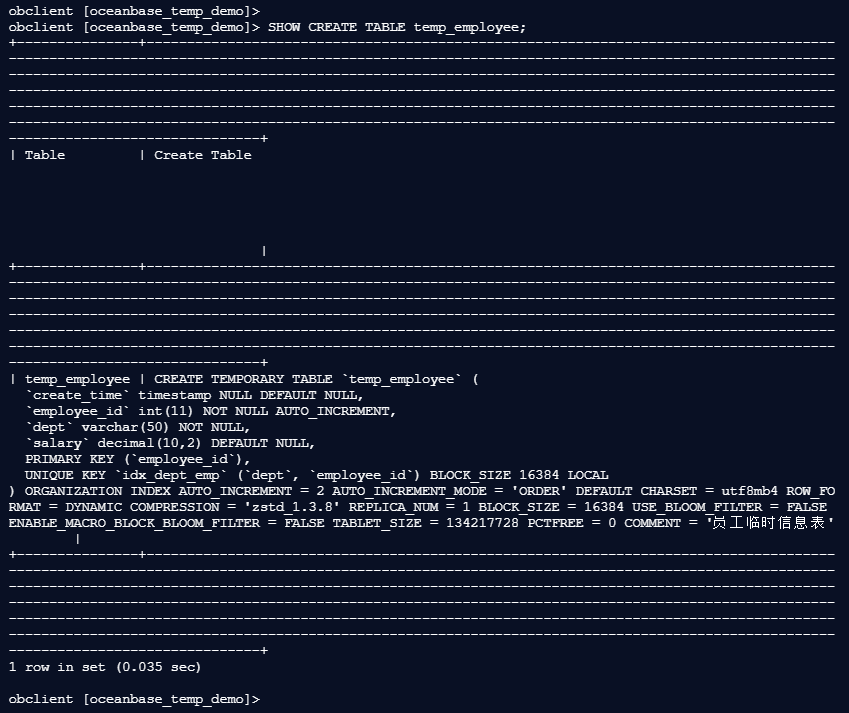
– 验证结果:查看表结构,确认字段名、主键、自增属性都正确SHOW CREATE TABLE temp_employee;
2.5.3 查看修改后的表结构
SHOW CREATE TABLE temp_employee;
执行结果:
obclient [oceanbase_temp_demo]> SHOW CREATE TABLE temp_employee;
+---------------+--------------------------------------------------------------------------------------------------------------------------------------------------------------------------------------------------------------------------------------------------------------------------------------------------------------------------------------------------------------------------------------------------------------------------------------------------------------------------------------------------------------------------------------------------------------------------------------------------------------------------------------------------+
| Table         | Create Table                                                                                                                                                                                                                                                                                                                                                                                                                                                                                                                                                                                                                                     |
+---------------+--------------------------------------------------------------------------------------------------------------------------------------------------------------------------------------------------------------------------------------------------------------------------------------------------------------------------------------------------------------------------------------------------------------------------------------------------------------------------------------------------------------------------------------------------------------------------------------------------------------------------------------------------+
| temp_employee | CREATE TEMPORARY TABLE `temp_employee` (
  `create_time` timestamp NULL DEFAULT NULL,
  `employee_id` int(11) NOT NULL AUTO_INCREMENT,
  `dept` varchar(50) NOT NULL,
  `salary` decimal(10,2) DEFAULT NULL,
  PRIMARY KEY (`employee_id`),
  UNIQUE KEY `idx_dept_emp` (`dept`, `employee_id`) BLOCK_SIZE 16384 LOCAL
) ORGANIZATION INDEX AUTO_INCREMENT = 2 AUTO_INCREMENT_MODE = 'ORDER' DEFAULT CHARSET = utf8mb4 ROW_FORMAT = DYNAMIC COMPRESSION = 'zstd_1.3.8' REPLICA_NUM = 1 BLOCK_SIZE = 16384 USE_BLOOM_FILTER = FALSE ENABLE_MACRO_BLOCK_BLOOM_FILTER = FALSE TABLET_SIZE = 134217728 PCTFREE = 0 COMMENT = '员工临时信息表'        |
+---------------+--------------------------------------------------------------------------------------------------------------------------------------------------------------------------------------------------------------------------------------------------------------------------------------------------------------------------------------------------------------------------------------------------------------------------------------------------------------------------------------------------------------------------------------------------------------------------------------------------------------------------------------------------+
1 row in set (0.035 sec)

obclient [oceanbase_temp_demo]>
三、临时表能力限制与注意事项
3.1 功能限制(不可用场景)
临时表并非全能,以下功能明确不支持,需避免使用:
- 外键:不支持引用普通表或跨表空间的外键约束;
- 分区:无法对临时表进行分区设置(如RANGE、LIST分区);
- 视图/物化视图:不支持基于临时表创建视图或物化视图;
- 特殊索引:不支持FULLTEXT全文索引、JSON多值索引、向量索引等;
- 跨会话访问:其他会话无法访问当前会话的临时表,访问会直接报错。
3.2 使用注意事项
- 重复创建报错:同一会话中,若临时表已存在,未加
IF NOT EXISTS时再次执行CREATE TEMPORARY TABLE会报错; - 数据持久化:临时表数据仅在会话内有效,会话结束后数据丢失,不可用于存储需长期保留的数据;
- 性能建议:临时表适合小量中间数据存储,避免存储大量数据导致会话内存占用过高;
- 命名冲突:若需同时使用普通表和临时表,建议通过会话隔离避免同名冲突,或明确区分表名(如临时表前缀
temp_)。
总结
OceanBase MySQL模式的临时表,以“会话隔离、自动清理、轻量化”为核心优势,完美适配中间数据处理、会话级数据隔离、存储过程临时计算等场景。通过本文的实操示例,我们可以看到:它支持常规的DML/DDL操作和多数索引类型,同时在同名表访问、存储过程集成等场景下表现灵活。
但需注意,临时表不支持外键、分区、特殊索引等功能,且数据无法跨会话持久化。在实际开发中,建议根据场景合理使用:比如批量数据导入时的中间缓存、复杂查询的分步计算、会话专属的临时表单等。合理运用临时表,既能提升数据处理效率,又能减少正式表的冗余数据,让数据库操作更简洁、更安全。
作者注 —— 本文所有操作及测试均基于 openEuler 22.03-LTS-SP4 系统完成,核心围绕 OceanBase_CE 4.3.5.4 MySQL 模式展开,聚焦临时表的会话隔离特性、多场景实操用法、功能限制及典型报错(如4109、1068错误)的解决方案。请注意,OceanBase不同版本对临时表的语法支持存在差异,部分操作(如RENAME COLUMN)的兼容性需以官方最新文档为准。 —— 以上仅为个人实战总结与经验分享,不代表 OceanBase 官方观点。文中所有SQL命令均在测试环境下执行,涉及生产环境部署时,请务必做好数据备份、权限管控及功能兼容性验证。期待与各位共同探索高效的数据处理方案!