【 使用环境 】测试环境
【 OB or 其他组件 】OB
【 使用版本 】ob-operator:2.3.3
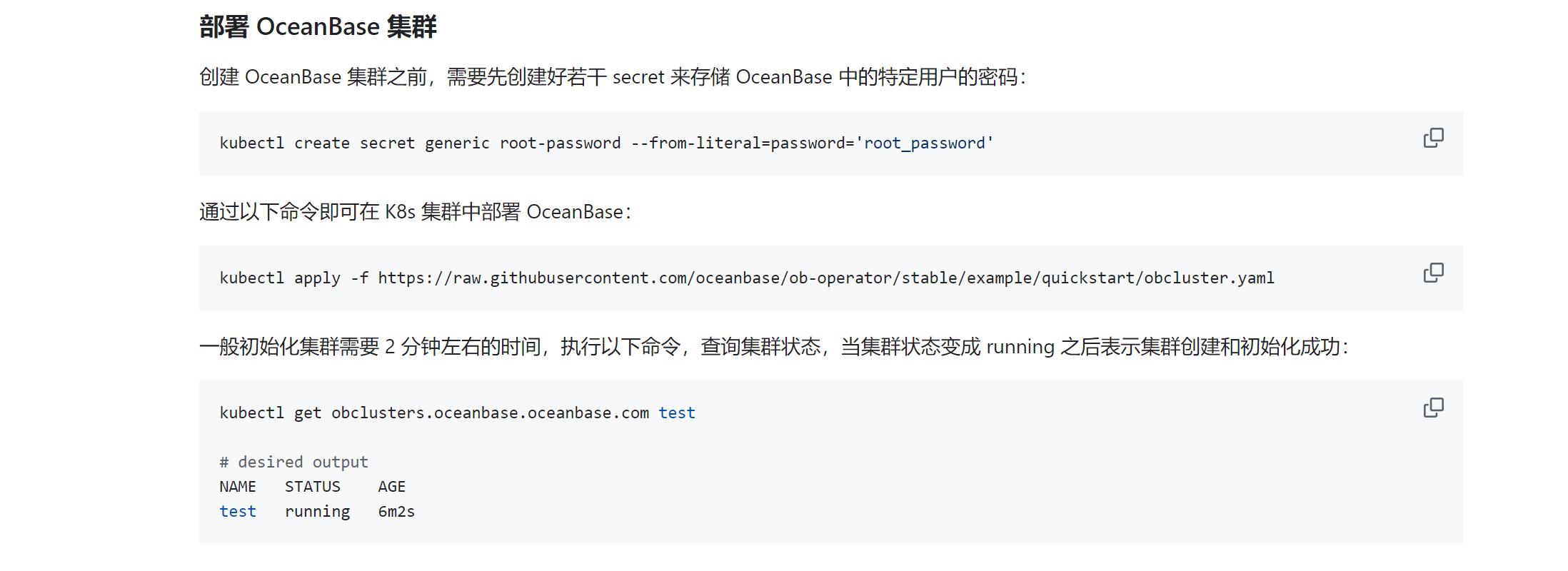
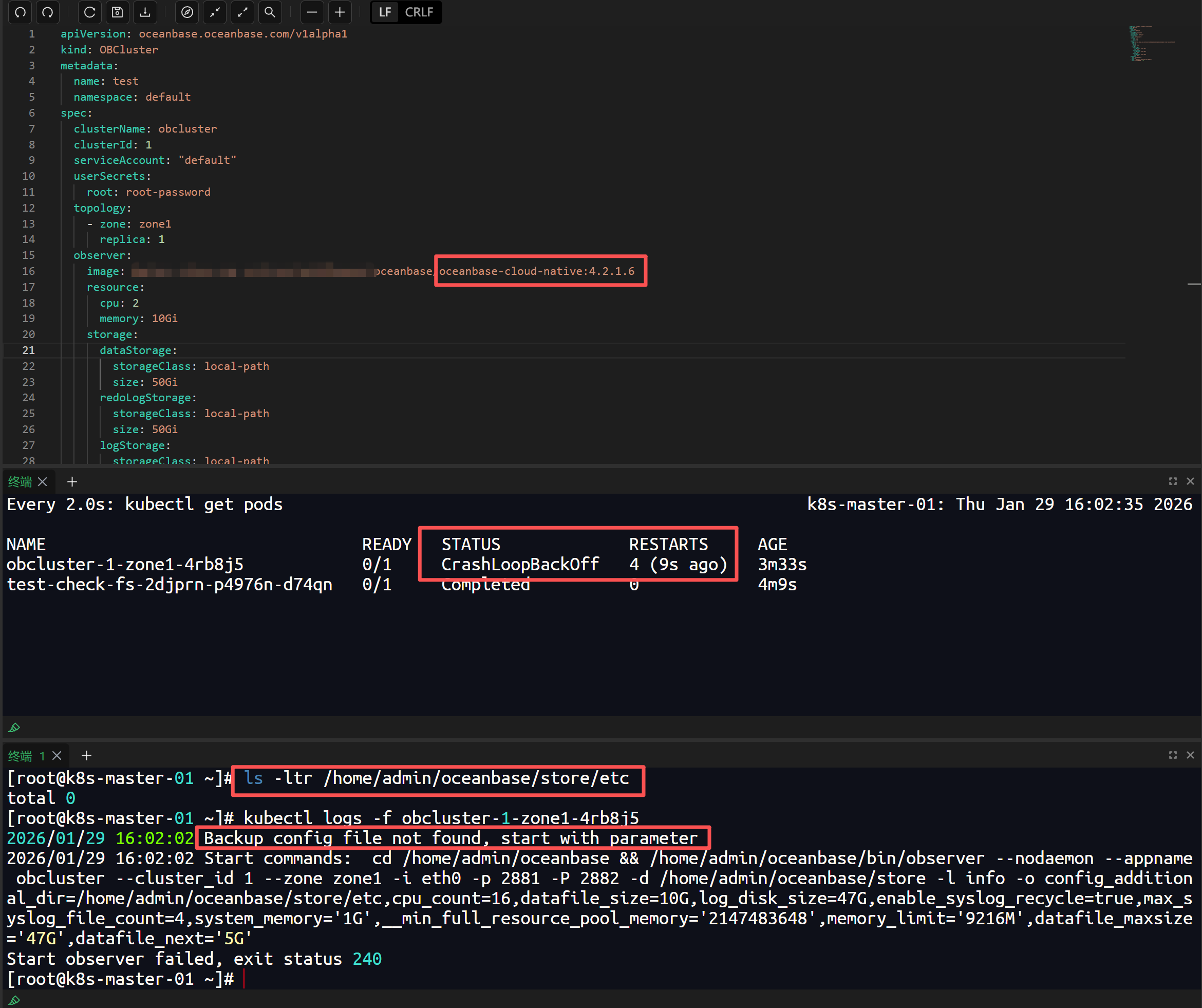
【问题描述】ob-operator已安装,使用kubectl apply -f https://raw.githubusercontent.com/oceanbase/ob-operator/stable/example/quickstart/obcluster.yaml创建集群后,obcluster pod总是重启。查询是因为没有找到配置文件所以报错,但官方文件中并没有配置文件加载的方法。
【复现路径】仅按https://github.com/oceanbase/ob-operator/blob/master/README-CN.md中的部署方式部署。因服务器上无法下载官方镜像,使用了私有镜像仓库。
【附件及日志】查看报错信息如下:
2026/01/27 18:24:26 Backup config file not found, start with parameter
2026/01/27 18:24:26 Start commands: cd /home/admin/oceanbase && /home/admin/oceanbase/bin/observer --nodaemon --appname obcluster --cluster_id 1 --zone zone1 -i eth0 -p 2881 -P 2882 -d /home/admin/oceanbase/store -l info -o config_additional_dir=/home/admin/oceanbase/store/etc,cpu_count=16,datafile_size=10G,log_disk_size=47G,enable_syslog_recycle=true,max_syslog_file_count=4,memory_limit=‘9216M’,datafile_maxsize=‘47G’,datafile_next=‘5G’,system_memory=‘1G’,__min_full_resource_pool_memory=‘2147483648’
Start observer failed, exit status 240
【备注】基于 LLM 和开源文档 RAG 的论坛小助手已开放测试,在发帖时输入 [@论坛小助手] 即可召唤小助手,欢迎试用!
3 个赞
你这是k8s部署方式啊,报错提示的是备份配置文件没找到,是不是Yaml文件写错了,这个得挂载卷吧
1 个赞
辞霜
#6
把启动参数里config_additional_dir这个配置删掉
您好,大佬。我查看了obcluster.yaml,里面并没有config_additional_dir这个参数,具体k8s的yaml如下,镜像为本地导入的名字:
apiVersion: oceanbase.oceanbase.com/v1alpha1
kind: OBCluster
metadata:
name: test
namespace: default
spec:
clusterName: obcluster
clusterId: 1
serviceAccount: “default”
userSecrets:
root: root-password
topology:
- zone: zone1

  replica: 1
observer:
image: oceanbase/oceanbase-cloud-native:4.2.1.6

resource:

  cpu: 2

  memory: 10Gi

storage:

  dataStorage:

    storageClass: local-path

    size: 50Gi

  redoLogStorage:

    storageClass: local-path

    size: 50Gi

  logStorage:

    storageClass: local-path

    size: 50Gi
parameters:
辞霜
#9
ls -ltr /home/admin/oceanbase/store/etc
我是使用 kubectl apply -f https://评论发不出来/oceanbase/ob-operator/stable/deploy/operator.yaml 命令安装的operator,本地没有这个目录呢?
然后用 kubectl apply -f https://
评论发不出来/oceanbase/ob-operator/stable/example/quickstart/obcluster.yaml 命令安装的集群,pod一直重启。
observer 的日志能否找到呢,2026/01/27 18:24:26 Backup config file not found, start with parameter
这个日志并不是缺少配置文件,是通过这个文件来判断是否是第一次启动,第一次启动就会带上参数,包括这个config_additional_dir=/home/admin/oceanbase/store/etc也是镜像启动会自动创建的目录,Start observer failed, exit status 240 是上面那个命令没有成功,需要看下 observer 里面的报错,另外使用了什么版本的 observer 镜像,建议用 oceanbase/oceanbase-cloud-native:4.3.5.5-105000012025111711 这个
您好,已经在所有节点上创建了目录,结果如下,还是会重启:
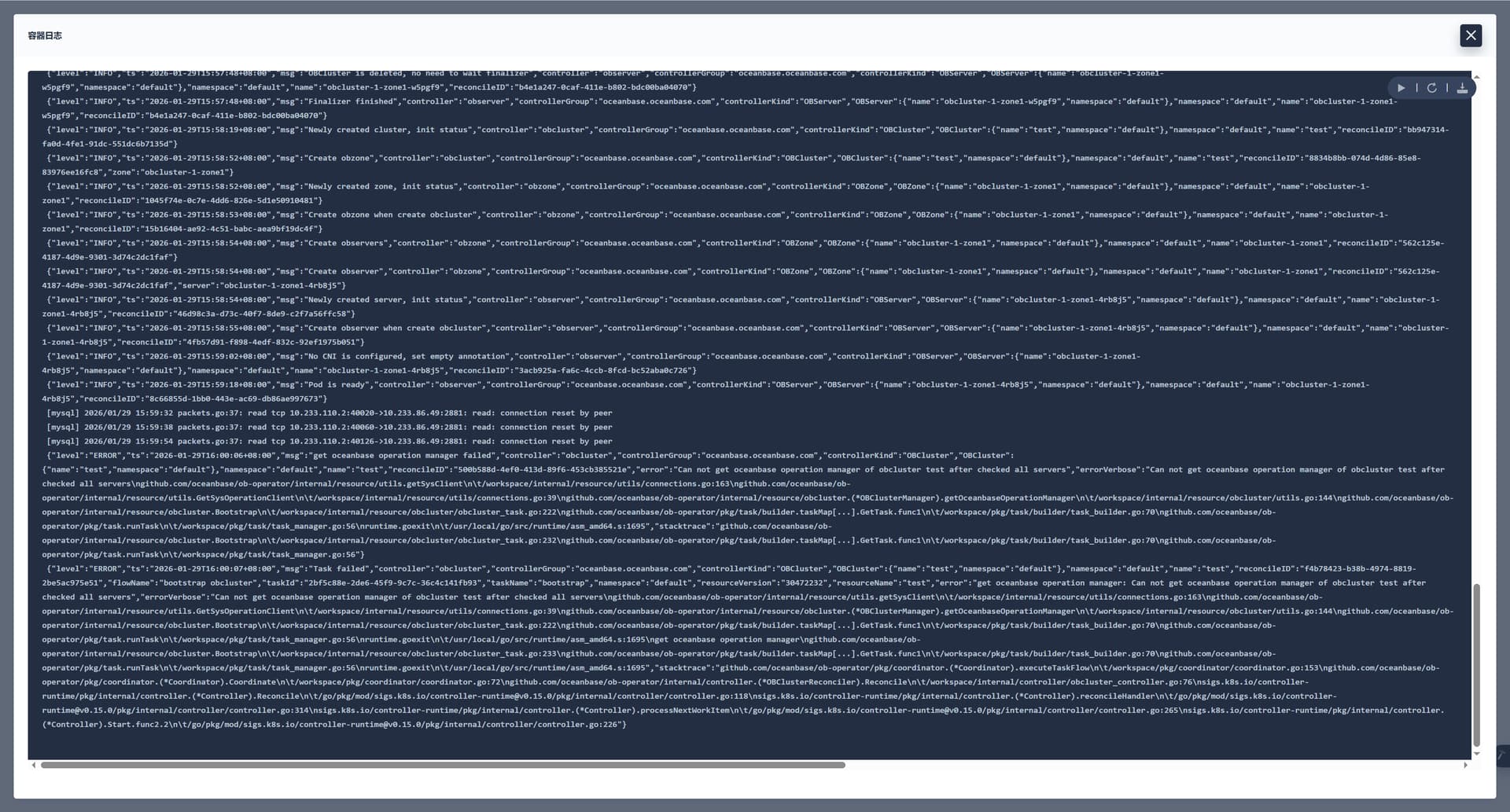
您好,大佬。您是说ob-operator这个容器嘛,这是最新的报错日志,麻烦看下:
辞霜
#15
提供observer日志,在~/oceanbase/log下
您好,我是k8s方式启动,observer是指的ob-operator这个pod嘛,这个pod日志如下:
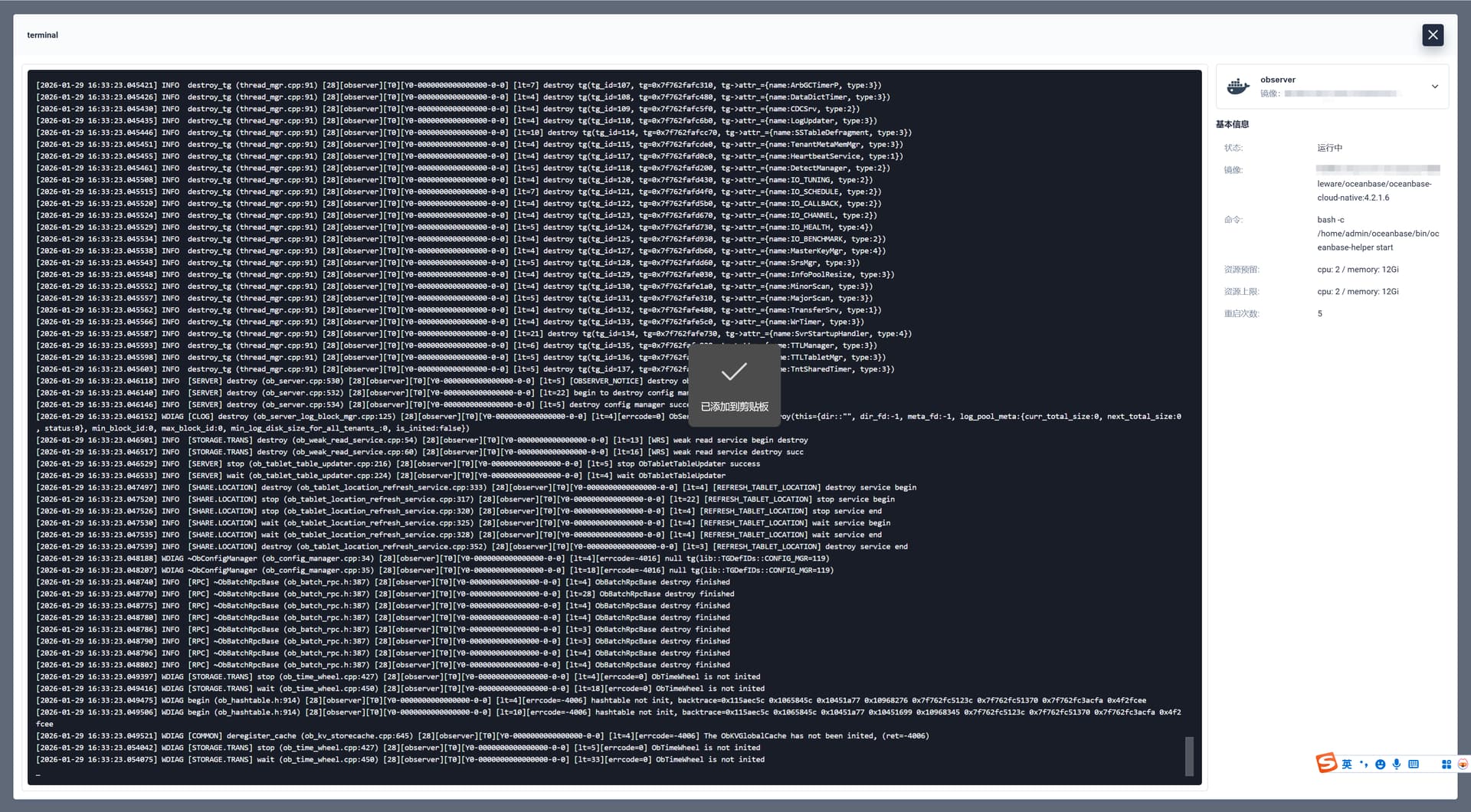
因为pod一直在重启,我导出来了一份日志,不太清楚导出的日志是否完整,但我又发现没有渠道可以发送这份日志呢,可以加您一个微信吗?