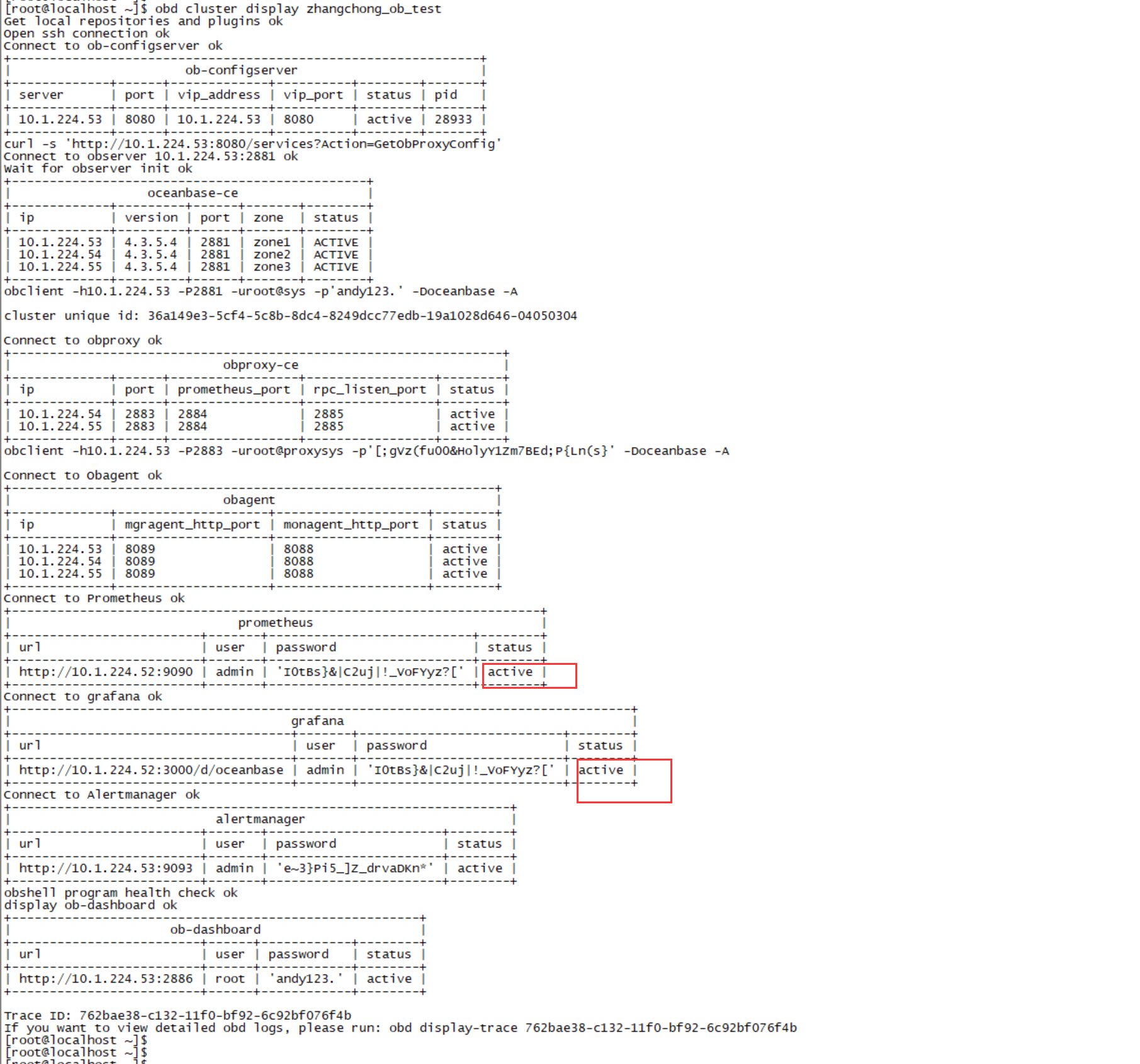
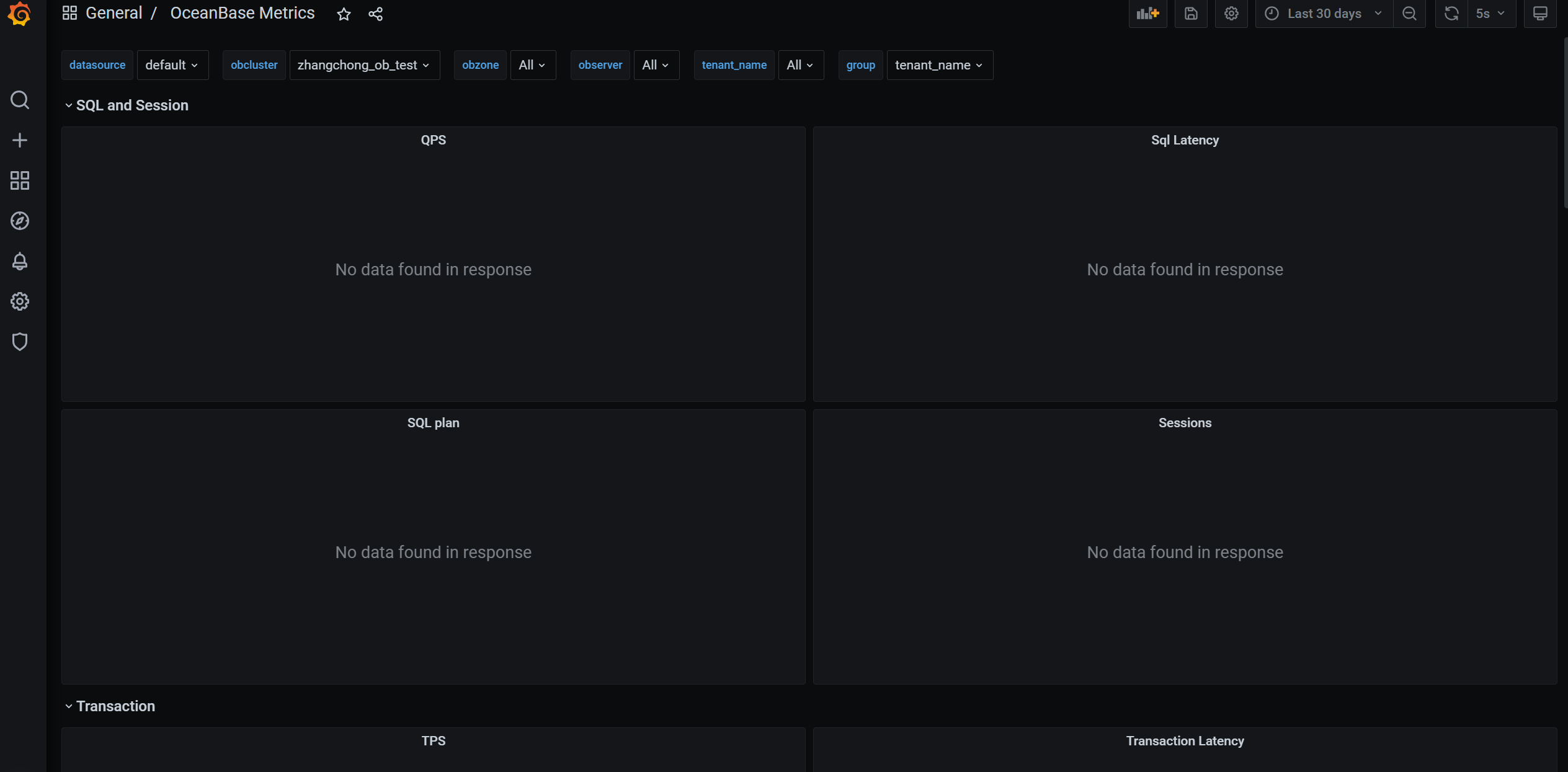
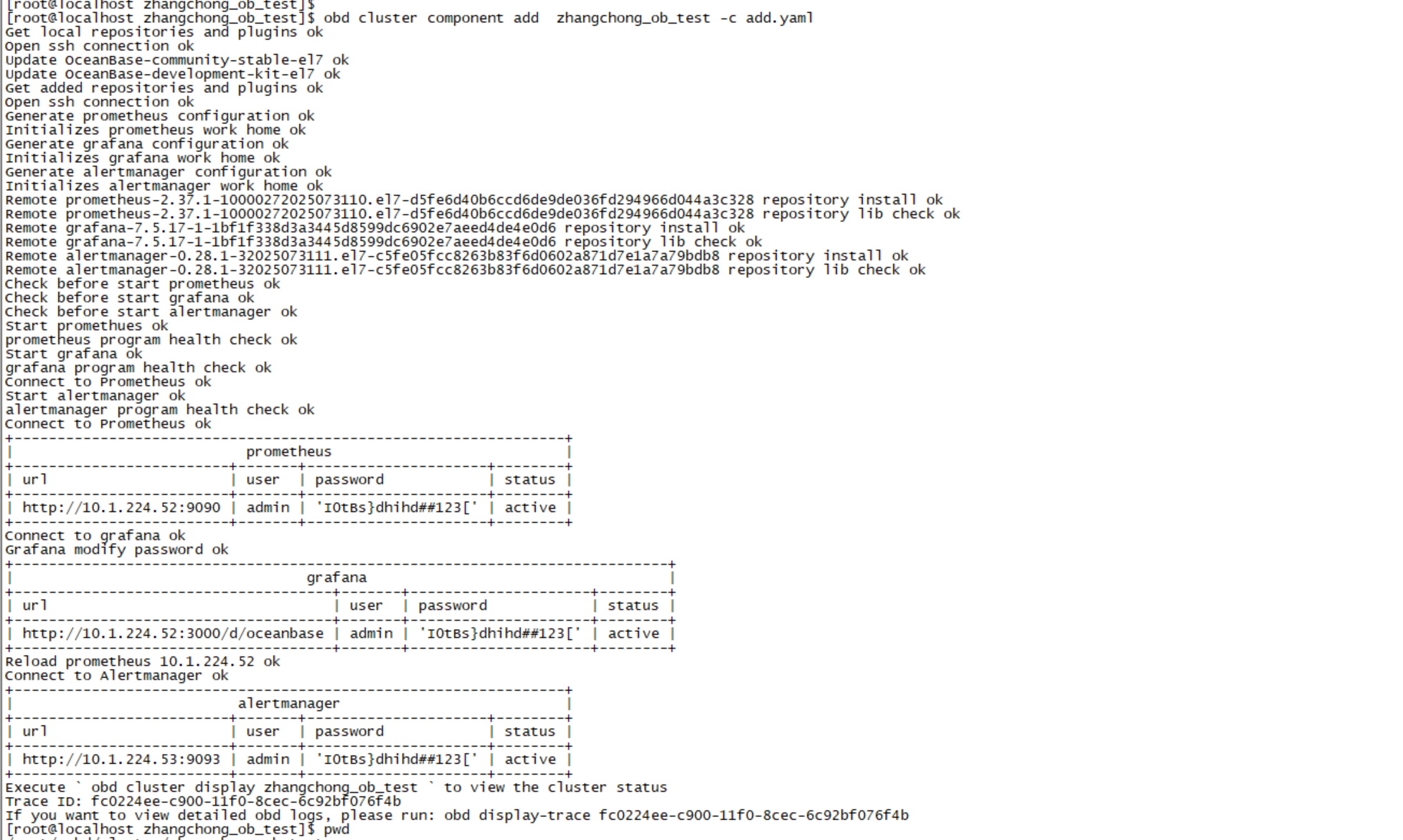
grafana服务正常,但是无法显示监控数据

【 使用环境 】测试环境
【 OB or 其他组件 】
【 使用版本 】 4.3.5.4
【问题描述】grafana服务正常,但是无法显示监控数据
【复现路径】 obd 部署的集群


【备注】基于 LLM 和开源文档 RAG 的论坛小助手已开放测试,在发帖时输入 [@论坛小助手] 即可召唤小助手,欢迎试用!

obd的版本是多少。麻烦提供一份obd的详细日志~/.obd/log

obd_log.tar.gz (960.6 KB)

[root@localhost .obd]$ obd --version
OceanBase Deploy: 3.6.0
REVISION: b36013bb09a84516e56db51dba78a9d9096735e7
BUILD_BRANCH: HEAD
BUILD_TIME: Sep 04 2025 10:50:58OURCE
Copyright (C) 2025 OceanBase
License Apache 2.0: Apache version 2 or later https://www.apache.org/licenses/LICENSE-2.0.
This is free software: you are free to change and redistribute it.
There is NO WARRANTY, to the extent permitted by law.

集群是2025-10-23 16:21:40创建成功的。今天想看grafana监控发现数据没有显示

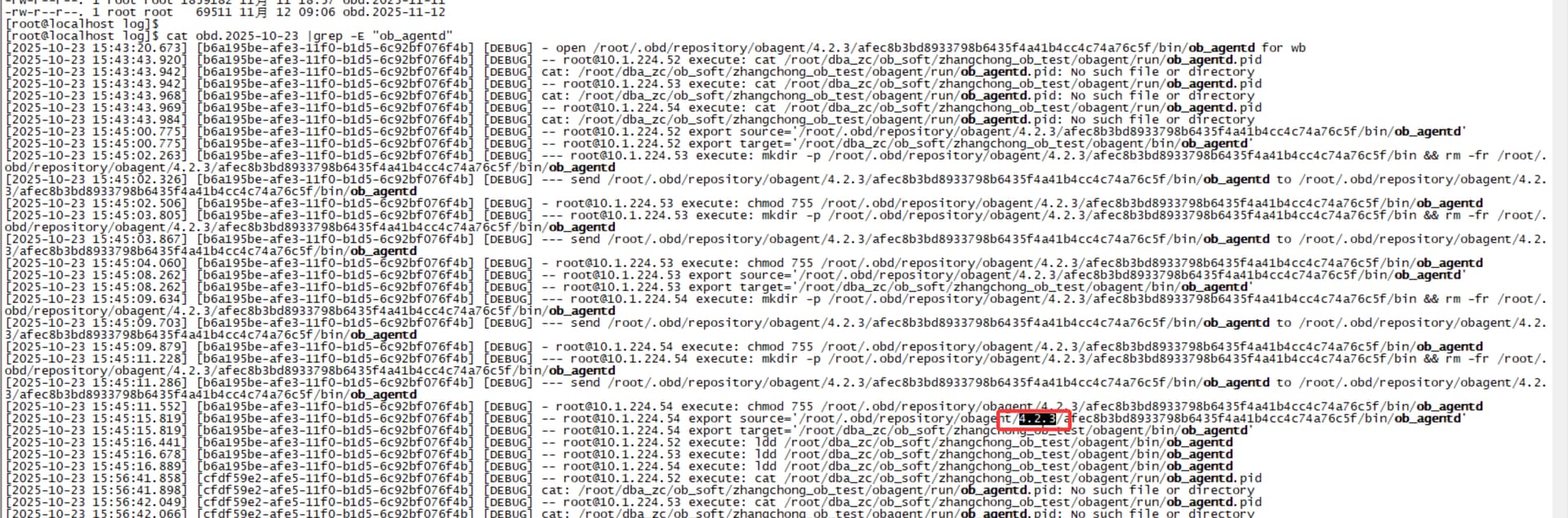
之前数据有显示过么。麻烦确认下obagent的版本是多少

之前没有看grafana不确定是不是可以。但是我没动过相关配置。命令我不知道怎么查看,查的日志,好像版本是 4.2.3

你好当前问题还存在么。麻烦提供一下集群的yaml文件

[root@localhost zhangchong_ob_test]$ pwd
/root/.obd/cluster/zhangchong_ob_test
[root@localhost zhangchong_ob_test]$
[root@localhost zhangchong_ob_test]$ cat config.yaml
user:
username: root
password: xxxx
port: 22
oceanbase-ce:
version: 4.3.5.4
release: 104000042025090916.el7
package_hash: 502277ef3b10b1bcf3fea757b309addf14ad8edb1a8a98d986883045c539603c
10.1.224.53:
zone: zone1
10.1.224.54:
zone: zone2
10.1.224.55:
zone: zone3
servers:

  • 10.1.224.53
  • 10.1.224.54
  • 10.1.224.55
    global:
    appname: zhangchong_ob_test
    root_password: andy123.
    mysql_port: 2881
    rpc_port: 2882
    data_dir: /root/dba_zc/ob_data/1
    redo_dir: /root/dba_zc/ob_data/log1
    obshell_port: 2886
    home_path: /root/dba_zc/ob_soft/zhangchong_ob_test/oceanbase
    scenario: htap
    cluster_id: 1761207597
    ocp_agent_monitor_password: jMuBWMROP8
    proxyro_password: AF8F7Obp8V
    enable_syslog_wf: false
    max_syslog_file_count: 16
    production_mode: false
    memory_limit: 6G
    datafile_size: 2G
    system_memory: 1G
    log_disk_size: 14G
    cpu_count: 38
    __min_full_resource_pool_memory: 1073741824
    datafile_maxsize: 16G
    datafile_next: 2G
    depends:
  • ob-configserver
    obproxy-ce:
    version: 4.3.5.0
    package_hash: dff2846bc2fae2852480bdb0a2c5ddeee3309071f82257b921a687b3c9274345
    release: 3.el7
    servers:
  • 10.1.224.53
  • 10.1.224.54
  • 10.1.224.55
    global:
    prometheus_listen_port: 2884
    listen_port: 2883
    rpc_listen_port: 2885
    home_path: /root/dba_zc/ob_soft/zhangchong_ob_test/obproxy
    obproxy_sys_password: ‘[;gVz(fu00&HolyY1Zm7BEd;P{Ln(s}’
    skip_proxy_sys_private_check: true
    enable_strict_kernel_release: false
    enable_cluster_checkout: false
    proxy_mem_limited: 500M
    rs_list: 10.1.224.53:2881;10.1.224.54:2881;10.1.224.55:2881
    cluster_name: zhangchong_ob_test
    observer_root_password: andy123.
    10.1.224.53:
    proxy_id: 2239
    client_session_id_version: 2
    10.1.224.54:
    proxy_id: 2240
    client_session_id_version: 2
    10.1.224.55:
    proxy_id: 2241
    client_session_id_version: 2
    depends:
  • oceanbase-ce
  • ob-configserver
    obagent:
    version: 4.2.3
    package_hash: 5f44d62b09e2fc6fb3107ebce02a2a68185f03e81956f98d8578c55ba3c8238f
    release: 200000032025071420.el7
    servers:
  • 10.1.224.53
  • 10.1.224.54
  • 10.1.224.55
    global:
    monagent_http_port: 8088
    mgragent_http_port: 8089
    home_path: /root/dba_zc/ob_soft/zhangchong_ob_test/obagent
    http_basic_auth_password: b87jzXY4M
    ob_monitor_status: active
    depends:
  • oceanbase-ce
    ob-configserver:
    version: 1.0.1
    release: 1.0.1.el7
    servers:
  • 10.1.224.53
    global:
    listen_port: 8080
    home_path: /root/dba_zc/ob_soft/zhangchong_ob_test/obconfigserver
    prometheus:
    version: 2.37.1
    release: 10000272025073110.el7
    servers:
  • 10.1.224.52
    global:
    port: 9090
    basic_auth_users:
    admin: I0tBs}&|C2uj|!_VoFYyz?[
    home_path: /root/dba_zc/ob_soft/zhangchong_ob_test/prometheus
    depends:
  • obagent
    grafana:
    version: 7.5.17
    release: ‘1’
    servers:
  • 10.1.224.52
    global:
    port: 3000
    login_password: I0tBs}&|C2uj|!_VoFYyz?[
    home_path: /root/dba_zc/ob_soft/zhangchong_ob_test/grafana
    depends:
  • prometheus
    10.1.224.52:
    login_password: I0tBs}&|C2uj|!_VoFYyz?[
    alertmanager:
    version: 0.28.1
    release: 32025073111.el7
    servers:
  • 10.1.224.53
    global:
    receivers:
    • mock_webhook
      port: 9093
      basic_auth_users:
      admin: e~3}Pi5_]Z_drvaDKn*
      home_path: /root/dba_zc/ob_soft/zhangchong_ob_test/alertmanager
      mock_webhook:
      receiver_type: webhook
      url: http://127.0.0.1:5001/
      depends:
  • prometheus

https://www.oceanbase.com/docs/common-obd-cn-1000000003892326
参考问答将组件删除重新部署一遍看看。然后提供一下obd日志

具体删除哪些组件?
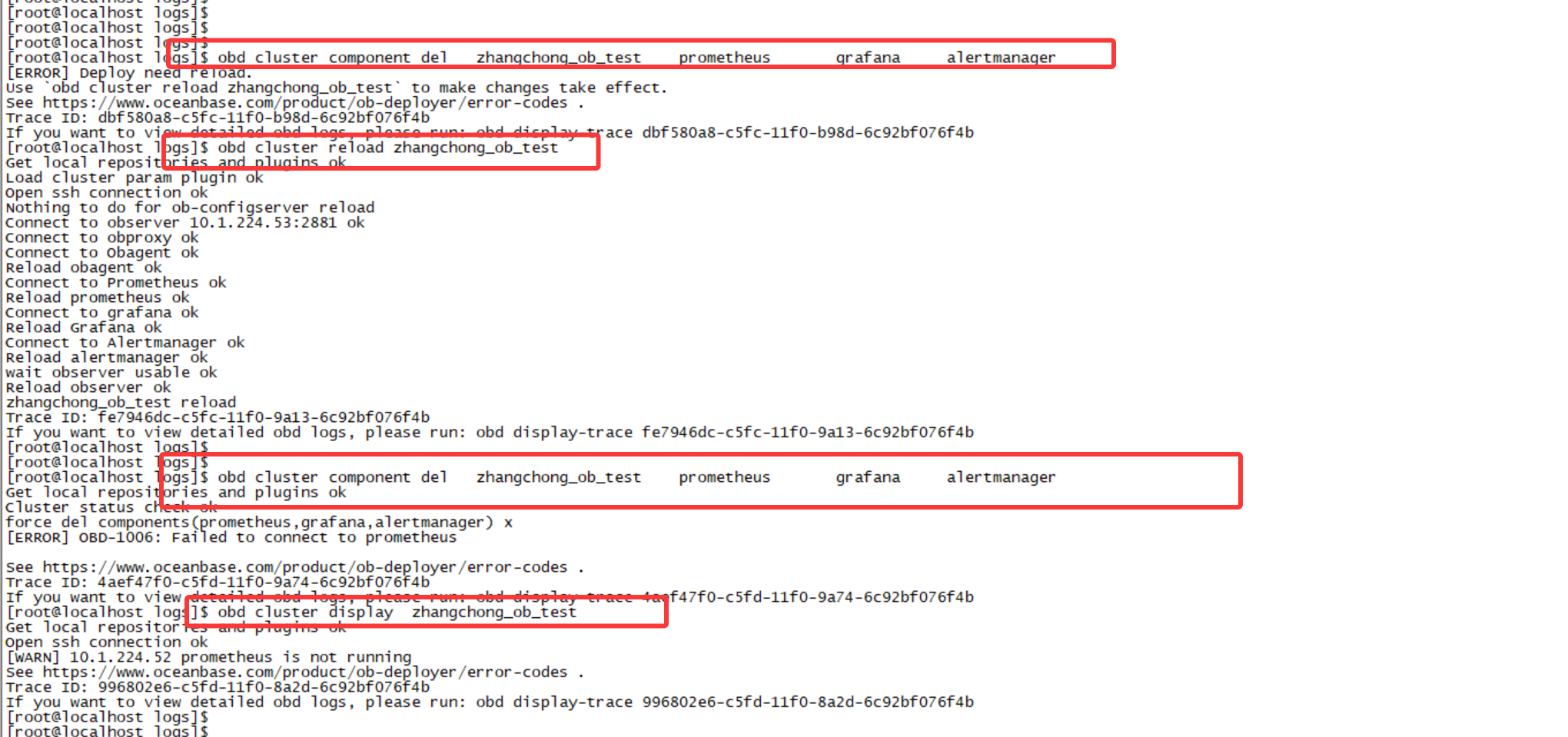
我删除 prometheus grafana alertmanager 后,出问题了

删除貌似引出新问题,有什么办法解决吗

你是否手动修改过yaml文件。正常情况不需要让你执行reload的


obd.tar.gz (171.6 KB)
卸载组件并重新安装组件,grafana还是显示不出数据

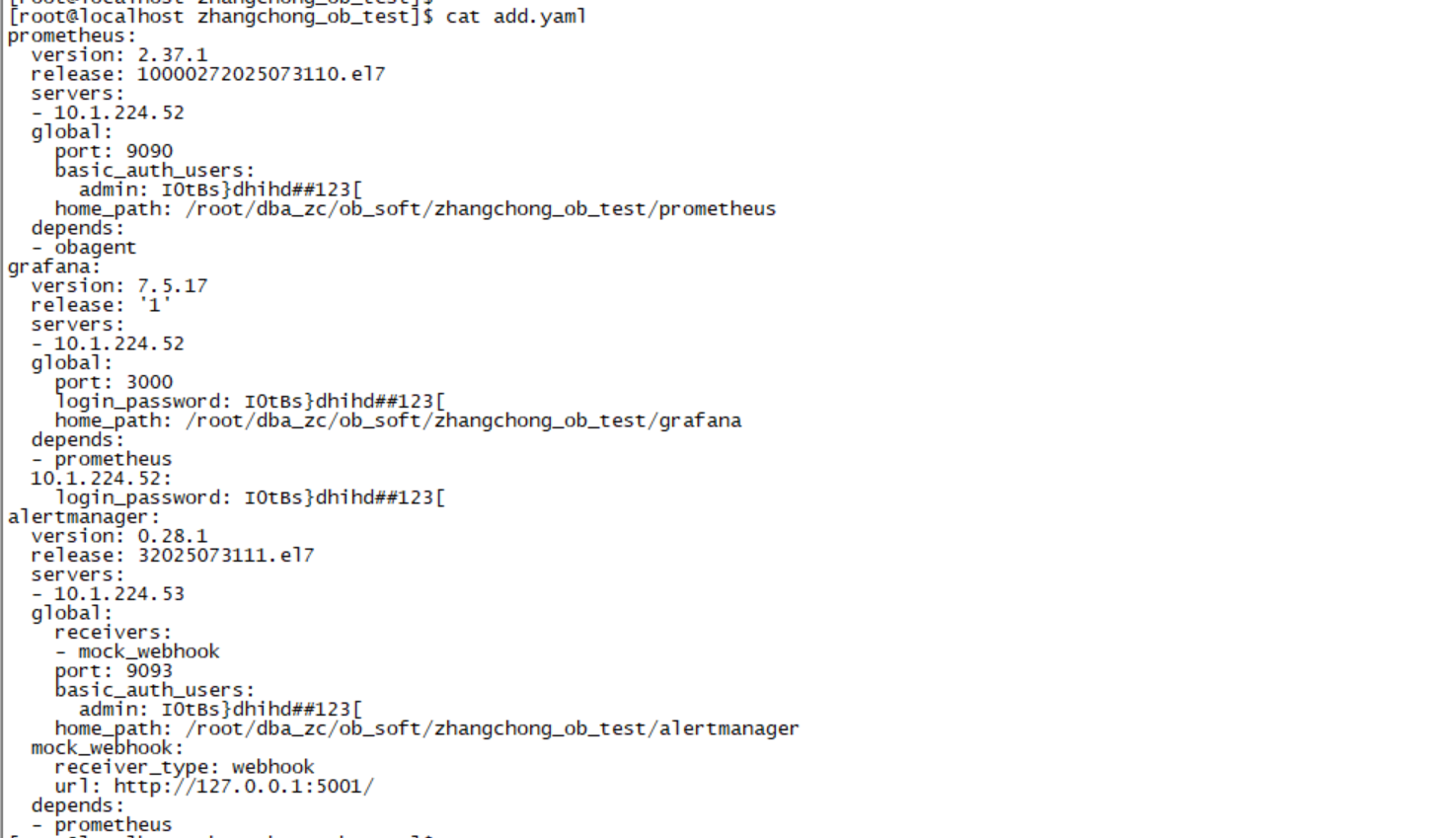
obd cluster component add zhangchong_ob_test -c add.yaml